
One shared meal. Everyone’s own portion.
Show FamilyMacro AI what you ate, check the estimate, and choose a portion for each person. Keep separate goals and adult privacy. When you need something changed, just ask.
-

Log your first meal
-
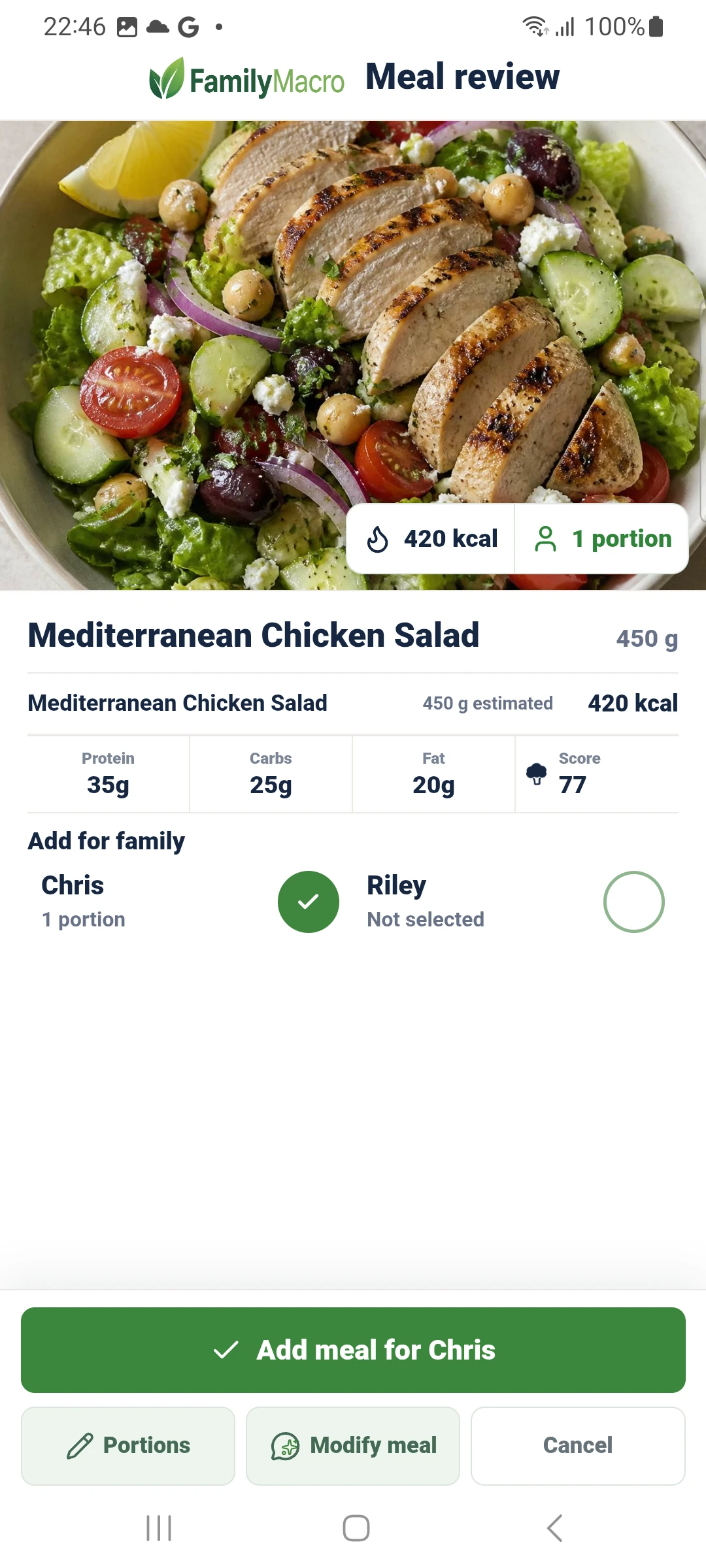
Review the estimate

Better habits. Together.
One shared dinner. Everyone's own log.
One AI Assistant across FamilyMacro
Ask the Assistant to log a meal, plan the week or change a setting. It checks with you first.
Ask AI to handle the next FamilyMacro task
The Assistant handles logging, plans, questions about your data, goals and settings. See how the full family nutrition workflow fits together.
Ask for what you want: log a meal, explain your data, make a plan or change a setting. It checks with you before saving anything.
Type, dictate, attach food photos or labels, or reuse saved foods—then review the editable result. See AI photo food tracking and voice food logging.
Track a meal once and share it with anyone in your household. See how shared meal tracking works, read the shared family meal guide, or split calories across a family meal.
Draft food plans with recipes and shopping lists, or use an equipment photo to build a workout plan that preserves stated limits. Follow the food-plan and shopping-list guide.
Ask about supported privacy, reminders, profile goals, subscriptions, reports, Health Connect, and account tasks. Confirm before anything sensitive changes.
Review compact nutrition, weight, food-change, food-plan, and exercise summaries without empty days diluting meal averages. See whole-family calorie tracking, family calorie tracking, or family macro tracking.
One plan for the whole household, starting with four profiles included. See FamilyMacro pricing.
Ask AI for recipe details from a reviewed food plan, then combine the ingredients into one shopping list without auto-logging meals.
Calories, net calories, and broccoli score
Food intake, net energy, and nutrition balance are tracked side by side.
Calories tracked means the food, drinks, snacks, and supplements added for a profile. Net calories in FamilyMacro are shown as net energy balance: food intake compared with baseline burn and exercise. The Broccoli score is a 0-100 cue for the estimated nutrient density of logged food. It is not a health grade or a judgement of meals you have not recorded.
Choosing a tracker
Choose a tracker that helps the whole family hit their nutrition goals.
FamilyMacro keeps shared meals, separate goals, parent-managed child profiles, and adult privacy choices together, so each person can work toward the nutrition targets that fit them.
Compare FamilyMacro with MyFitnessPal
A fair guide for families choosing a tracker that supports shared meals and nutrition goals.
Check multiple-profile tracking
See how separate goals, child profiles, and adult sharing choices work for one household.
Review privacy boundaries
Understand what is shared, what stays private, and what families should check before installing.
Common family tracking questions
Answers families usually need before choosing a tracker.
These are the practical questions behind most household food-tracking searches: multiple profiles, shared dinners, comparison with broad trackers, and child-profile boundaries.
Can one app track meals for multiple family members?
Yes. FamilyMacro keeps separate profiles for each person so a household can log meals without forcing everyone into one food diary. See food tracking with multiple profiles.
How do shared family meals work?
Log the meal once, review the estimate, and assign portions to the profiles that actually ate it. Start with shared meal tracking or the guide to splitting calories across a family meal.
Is FamilyMacro a replacement for MyFitnessPal?
It depends on the job. Broad trackers can suit solo goals and large food databases. FamilyMacro is for households that need shared meals, child-profile guardrails, and adult privacy choices. Read the family comparison guide.
What should parents check before tracking children's meals?
Look for guardian-managed profiles, clear privacy choices, reviewable estimates, and no medical or child-diet promises. The family calorie tracker and support FAQ explain those boundaries.
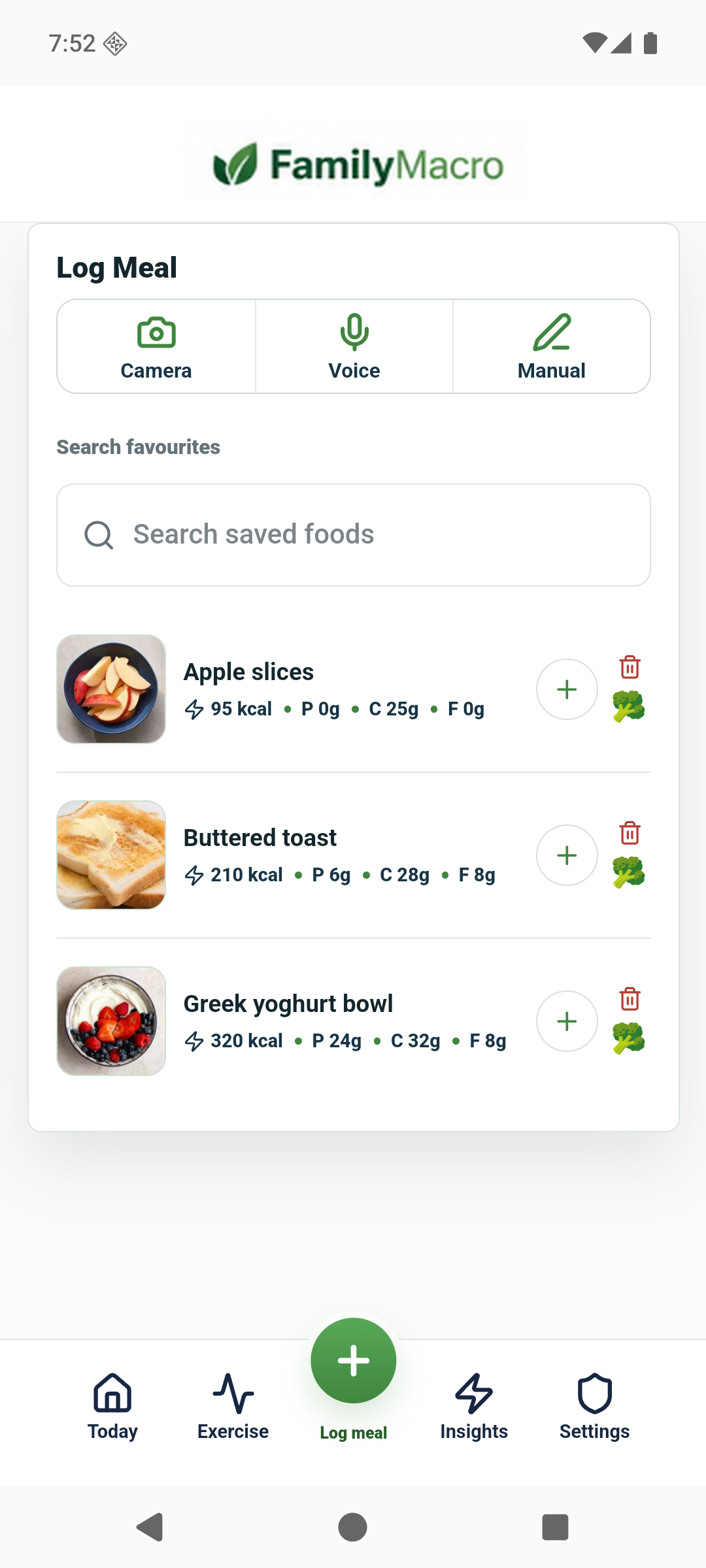
Ready to ask FamilyMacro AI?
Use one Assistant to handle the work across family logging, plans, Insights, goals, and supported settings. Paid household plans start with four profiles included.
Get it onGoogle Play